iPhone · iPad · Mac  ·  Native & local-first

Every hour,
where it went.

A native time tracker for iPhone, iPad and Mac — for people who bill by the project, or who simply want to know where the day went. No account, no server, just your own iCloud.

Coming soon on the App Store Who makes it

One purchase covers iPhone, iPad and Mac. No subscription, no in-app purchases.

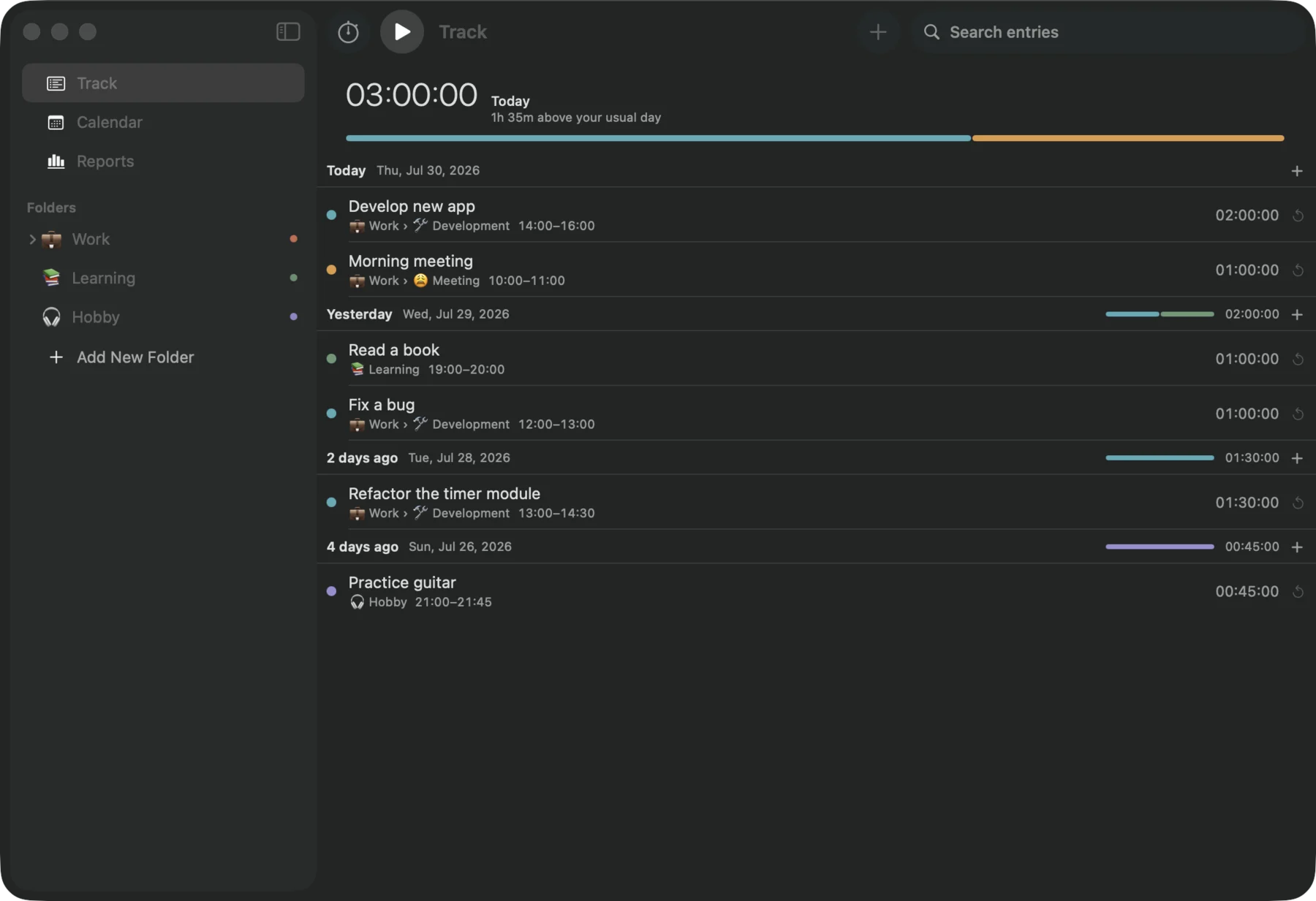
TimesNewRecord on macOS: today's total above time entries grouped by day, with a folder sidebar.
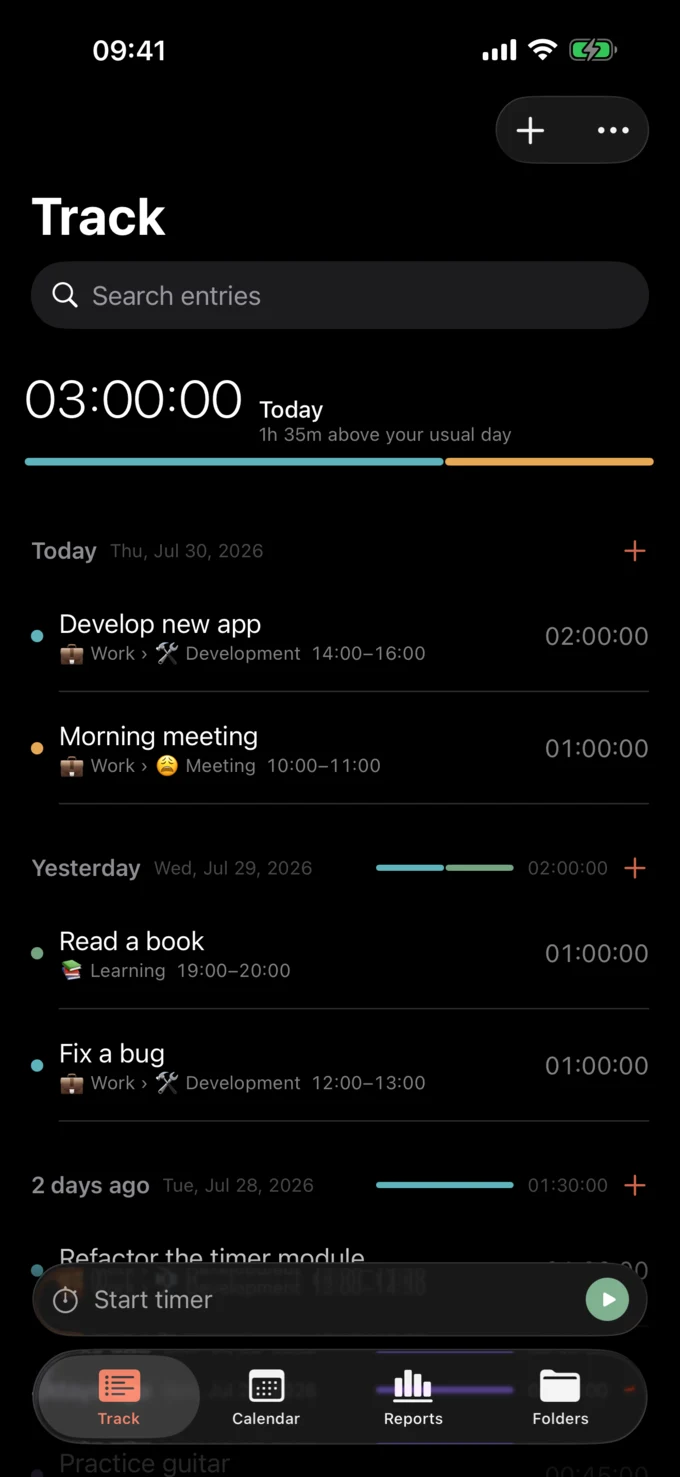
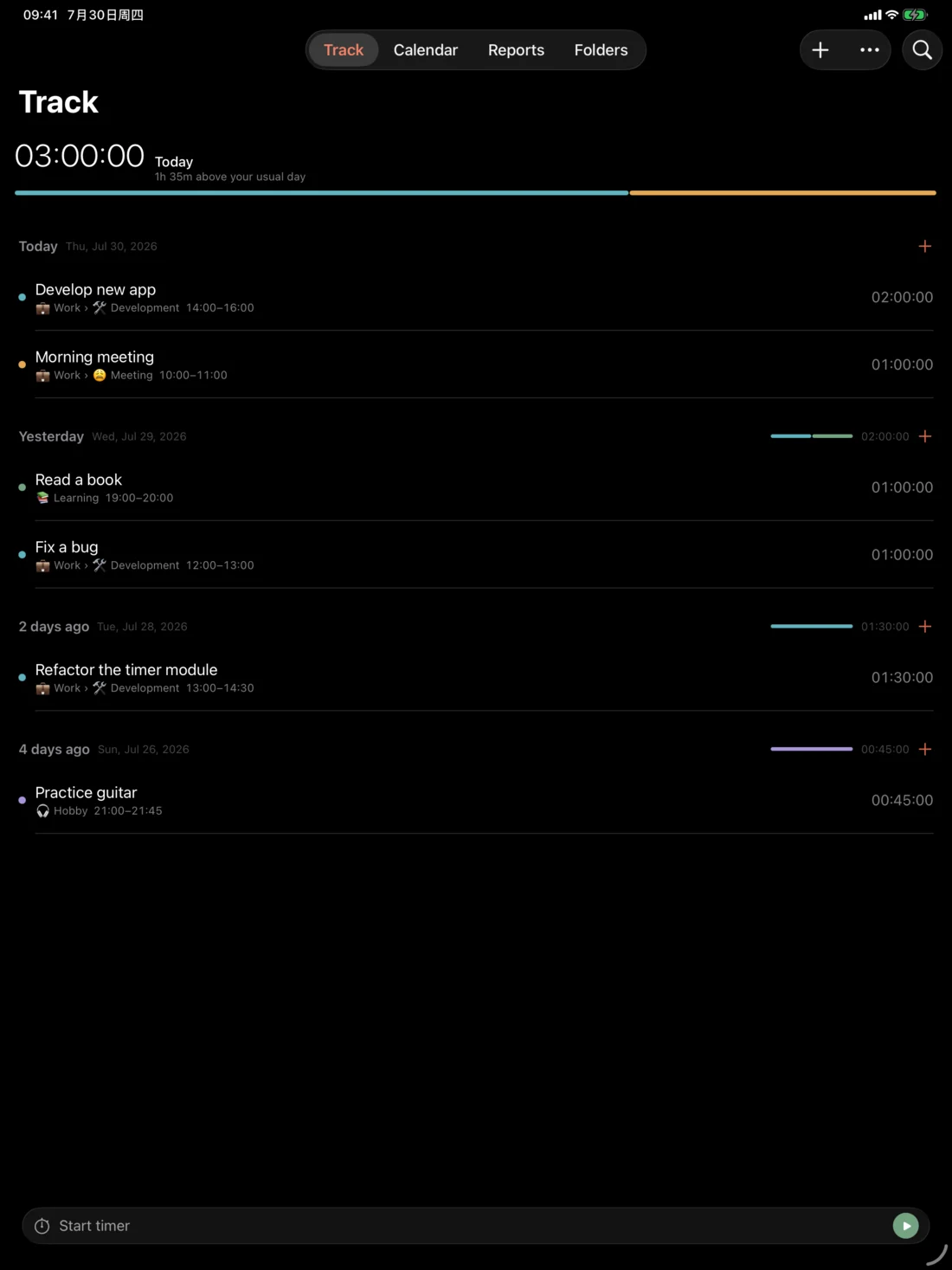
TimesNewRecord on iPhone: the Track tab with the Now Bar above the tab bar.
Develop new app 00:00:00

A day

Seven hours, forty-two
minutes, made visible.

TUE 14 JUL 2026

1:10
0:45
3:24
0:38
1:45
  • 🚀 Develop new app 3:24
  • 📚 Reading 1:45
  • ✏️ Onboarding rewrite 1:10
  • ☎️ Client call 0:45
  • 🧾 Invoices 0:38

Every folder carries its own emoji and colour, and that colour follows through to the day bars, the calendar and the charts. You don't read the legend — the shape of the day is already telling you.

Features

Four places to be,
one timer that follows you.

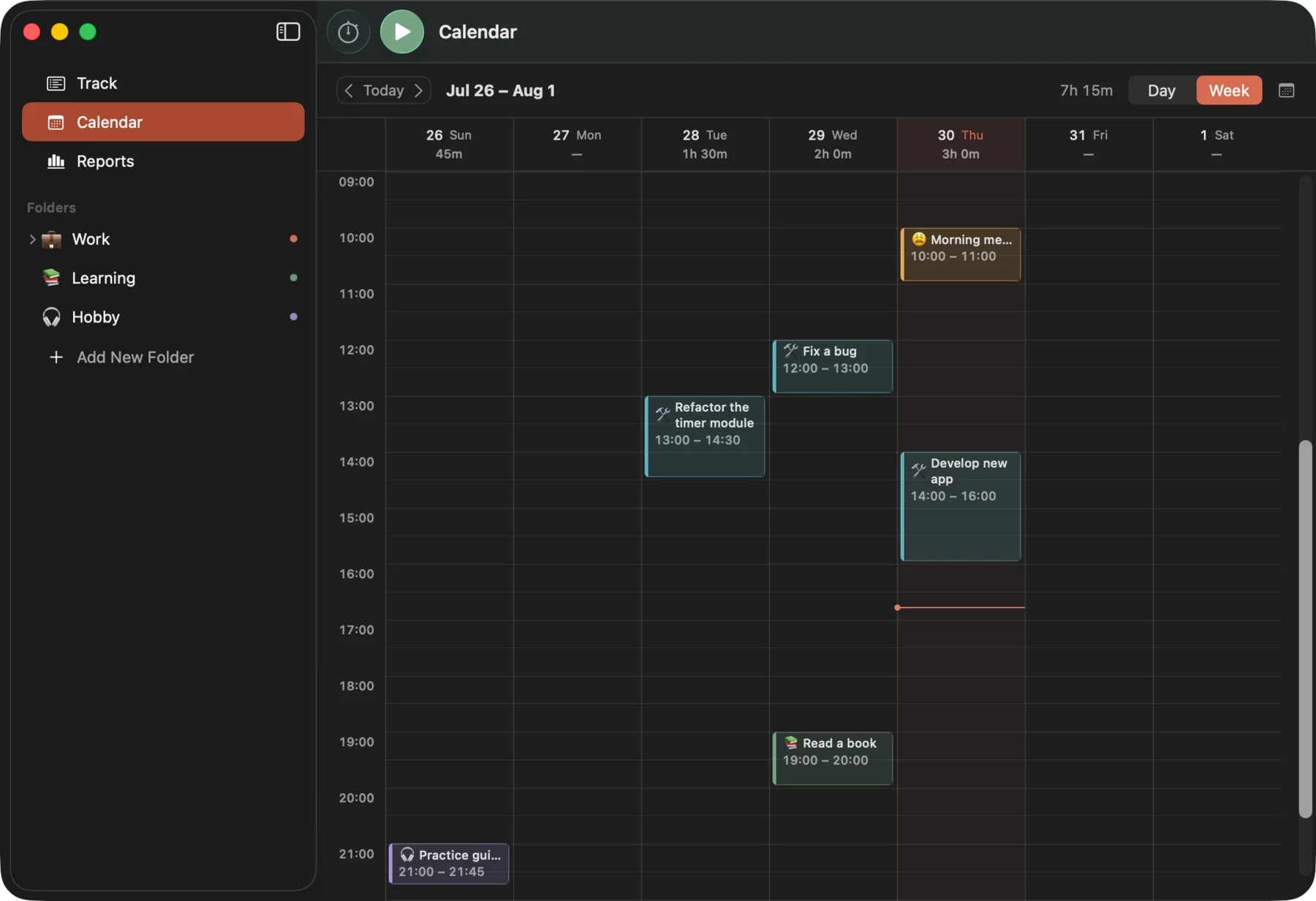
The sidebar on a Mac or a landscape iPad and the tab bar on an iPhone are the same interface — the system picks which one you get.

Track

Entries grouped by day, newest first, opening on today's total and how it compares with your last fortnight. Swipe an entry to restart, edit or delete it; on a Mac, hover for the ↺ and double-click to edit. A timer you forgot to stop is not a lost afternoon.

Calendar

Day and week, laid out by clock time with overlapping entries side by side, a live line for the current moment and a dashed block for the timer that's running. Double-click empty space to add an entry at that hour. A phone gets one day at a time with the week's shape in a strip above it. The month is a navigator — it shades each day by how much was tracked and takes you there; it doesn't pretend to be editable.

Reports

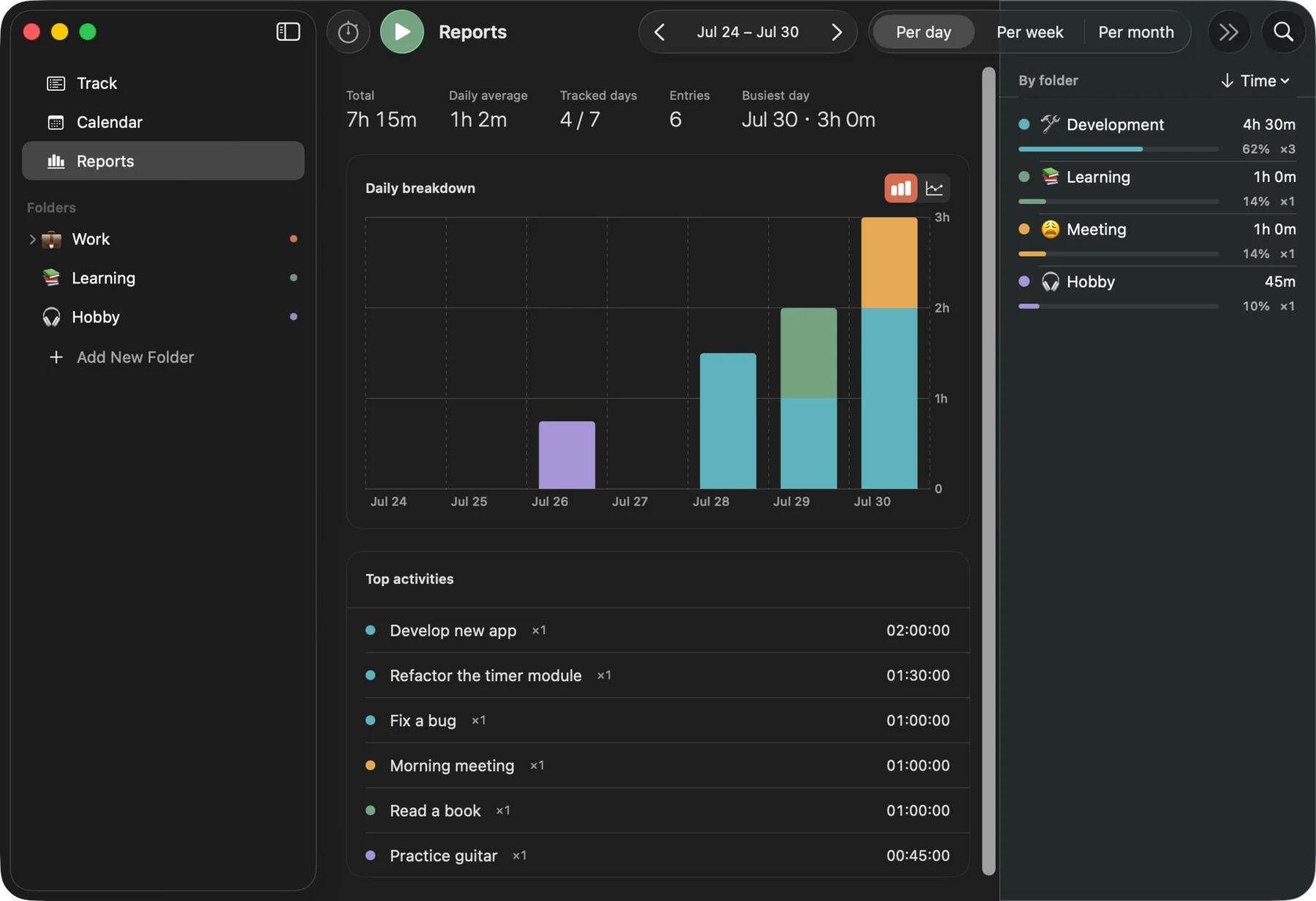
Any date range, at day / week / month grain, as stacked bars or lines. The range and the grain live in the header; the folder filter, the sort and the breakdown live in one inspector, where a row is the legend chip, the filter toggle and the table row at once. Export what you're looking at as CSV when you need a timesheet or an invoice.

Folders

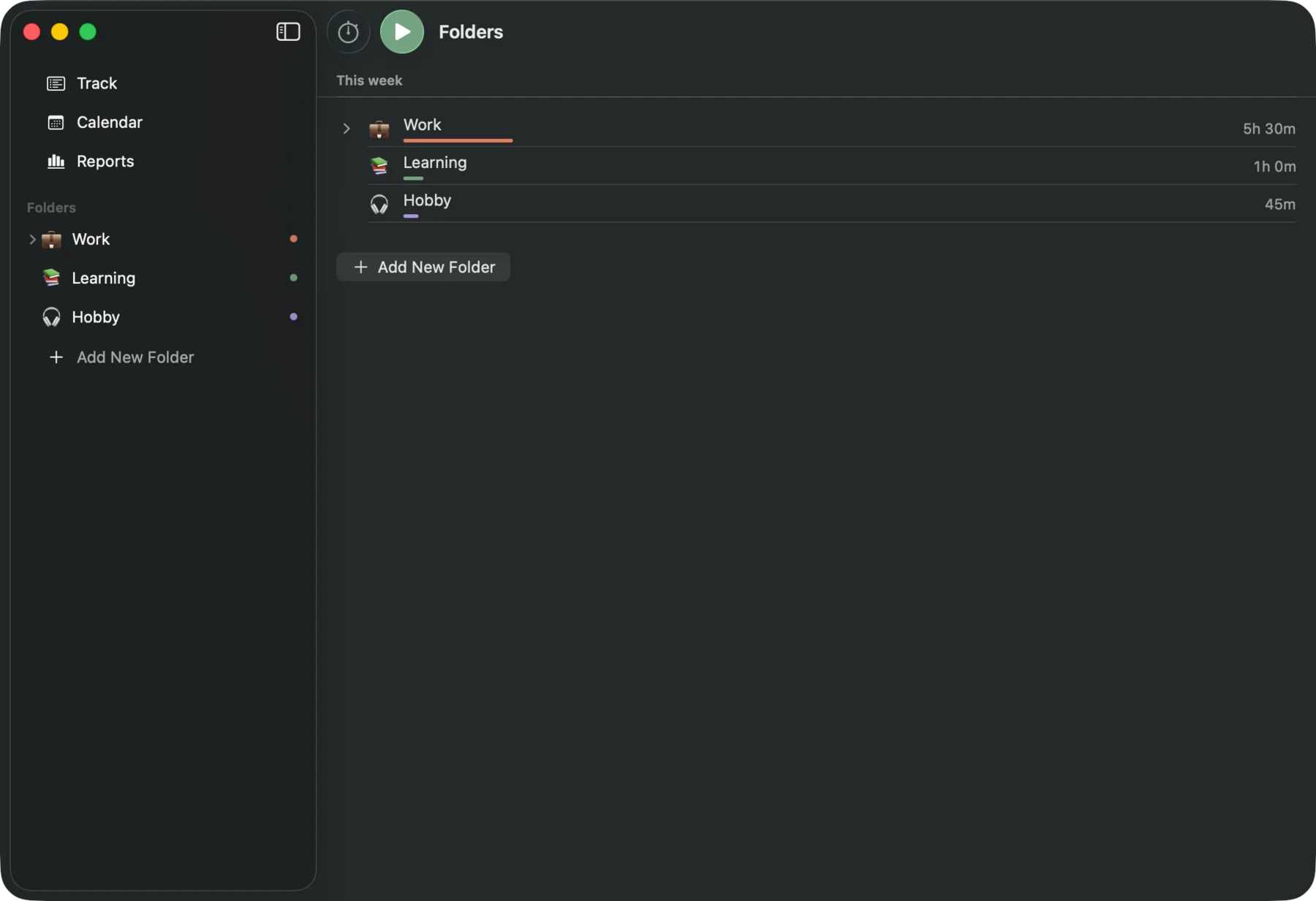
Nested, each with its own emoji and colour. Client › Project › Task, or however you think about your work. Every root is one click from the sidebar; a phone gets a browser for the whole tree. A folder's page carries its totals, a 14-day sparkline, its subfolders and its entries.

TimesNewRecord on macOS.

MAC · TRACK

  • Now Bar

    The timer as a persistent layer rather than a panel on one screen: a pill in the toolbar where there's room, a bar above the tab bar where there isn't, a status item in the Mac menu bar. Tap it for the folder, the description, and the start time of the timer already running — for when you began before you said so.

  • Menu bar & widgets

    A Mac status item shows the running timer — optionally with elapsed time — and opens a panel with the folder picker, the description field, start/stop, today's total and recent tasks to restart. Turn on Hide the Dock icon and it becomes a menu-bar-only app. On iPhone and iPad there are Home Screen widgets, Control Center controls and Live Activities.

  • Keyboard first

    ⌘↩ start/stop, ⌘N new entry, ⇧⌘N new folder, ⌘1 / ⌘2 / ⌘3 for track / calendar / reports — and every one of them is editable in Settings → Shortcuts.

Screens

One app,
three sizes.

Today's total, then every entry grouped by day.

Privacy

No account.
No server. No analytics.

TimesNewRecord is local-first. There is no TimesNewRecord account to sign up for and no developer-operated server — because there is no such machine.

  • Local first

    SwiftData keeps a local store on the device. Offline, on a plane, no signal at all — the app works exactly the same.

  • Your iCloud, not mine

    Completed entries and folders sync through your private iCloud database. I can't see it, and there's no dashboard where anyone could.

  • The running timer stays put

    A timer in progress stays on the device where it began. Two devices can each be timing something without fighting over one “currently running” record.

  • No ads
  • No tracking
  • No analytics SDK
  • No in-app purchases
  • No sign-in

Details

Where the small
things count.

Platforms
iPhone, iPad and Mac, as a single Universal Purchase. Requires macOS 26+ and iOS / iPadOS 26+.
Languages
English and 简体中文, switchable in Settings without relaunching. Dates and durations follow the same choice.
Keyboard
⌘↩ start/stop, ⌘N new entry, ⇧⌘N new folder, ⌘1 / ⌘2 / ⌘3 for track / calendar / reports — and every one of them is editable in Settings → Shortcuts.
Export
Any view you can see in Reports exports as CSV, folder breakdown included — ready for a timesheet or an invoice.
Built with
Native SwiftUI and SwiftData, CloudKit for sync, Tuist for the project. No cross-platform framework, no embedded browser.
Your data
A SwiftData store on the device, and your own private iCloud database behind it. The privacy policy is public — the link is in the footer.
Start the timer now,
explain it later.

Version 1.0 is being prepared for App Store review — iPhone, iPad and Mac together. Until then, the privacy policy and support are already public.